Is It Safe to Upload a PDF to ChatGPT? What It Keeps, What to Hide
Before you ask ChatGPT about a payslip, contract or offer letter, check what OpenAI says it keeps and black out what the assistant doesn't need. Step by step, in your browser, with what the AI can still read afterwards.
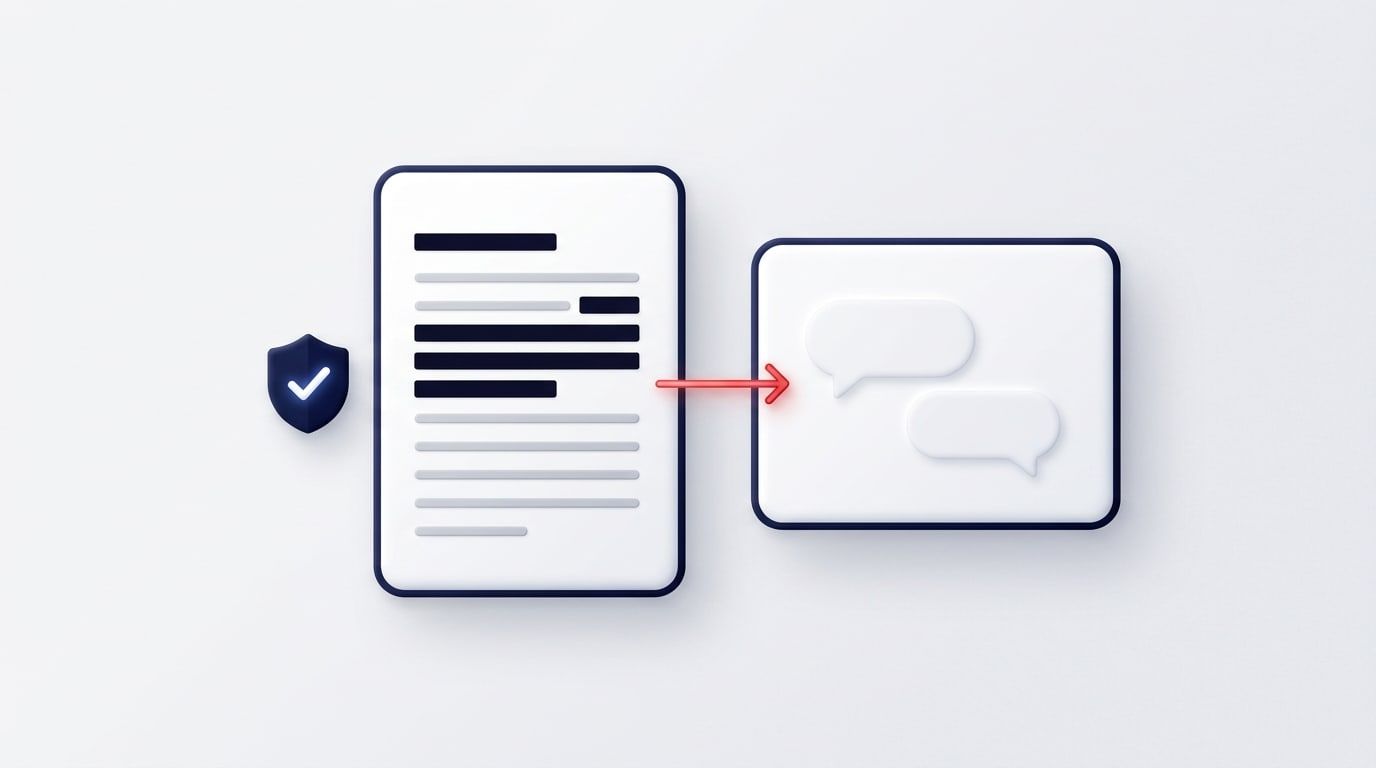
Is it safe to upload a PDF to ChatGPT? For most documents, yes, if you know what OpenAI keeps and you've removed what the assistant doesn't need. A payslip, an offer letter or a contract usually holds names, addresses, ID numbers and bank details. The AI needs none of them to explain the document to you.
This guide covers what OpenAI says it keeps (from its help pages, checked 27 October 2026), the settings that change that, and how to black out personal details in your browser before you upload.
What ChatGPT keeps from a PDF you upload
According to OpenAI's help centre:
- Your chats stay in your history until you delete them. A deleted chat is scheduled for permanent deletion within 30 days, unless OpenAI has to keep it longer for security or legal reasons. If your account has Library, a file saved there stays until you delete it from Library as well.
- Training is on by default on Free, Plus and Pro. OpenAI may use your content, uploaded files included, to improve its models while Improve the model for everyone is on. You can switch it off in Settings, under Data controls. That covers new conversations from then on.
- Temporary Chat isn't saved to your history and isn't used for training. OpenAI may keep a copy for up to 30 days for safety purposes.
- Business, Enterprise and Edu workspaces: OpenAI says their content isn't used for training by default.
Two things none of these settings change. The file still reaches OpenAI when you upload it. And what you share with ChatGPT is your decision, not OpenAI's. If a document holds other people's details, such as a colleague's salary or a client's account number, removing those is the safest choice whatever the settings say.
What to black out before you upload
Ask yourself what the AI needs to answer your question. To explain an offer letter, it needs the terms, not who it's addressed to. Black out:
- full names (yours and anyone else's);
- home addresses, phone numbers and email addresses;
- National Insurance, passport, tax and patient numbers;
- bank details: sort code, account number, card numbers;
- signatures and photos of people;
- anything about someone else who hasn't agreed to it being shared.
Keep what the question is about. If you want to check your notice period, leave the notice period in.
How to redact a PDF before you upload it
Redact PDF runs in your browser. The file isn't uploaded, and it's free.
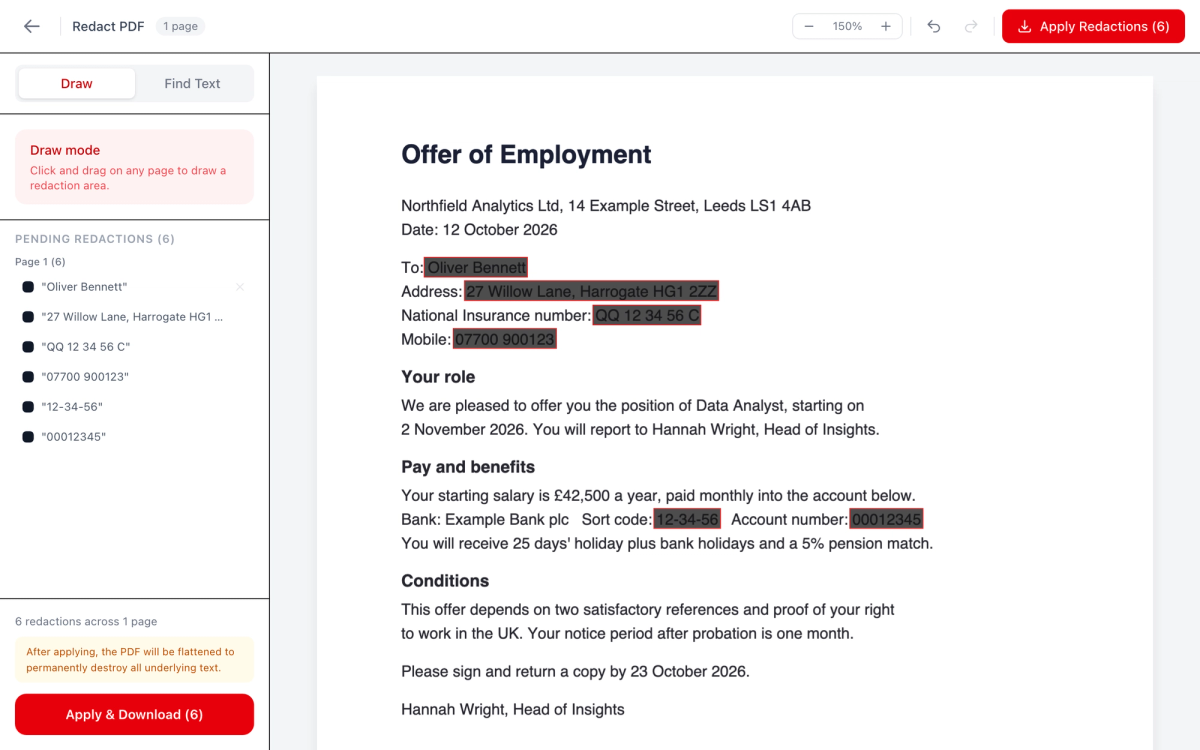
- Open Redact PDF and drop your file on the page.
- Choose Find Text and type the first detail exactly as it appears, such as a name or an account number. The search isn't case-sensitive and finds every match. Press Add to Redactions (the button shows how many it found).
- Repeat for each detail. For a signature, photo or anything that isn't text, switch to Draw and drag a box over it.
- Check the list under Pending Redactions. You can remove one, or undo, before anything is applied.
- Press Apply & Download. If a box asks for your email, it's optional: "No thanks, just download" skips it.
What happens to the file when you apply
Redact PDF rebuilds every page as an image with the boxes painted in. The covered text isn't hidden under the boxes; it's no longer in the file at all. We checked the downloaded sample: it had no selectable text, and the title and author stored in the original file were gone too.
That's stronger than drawing a black rectangle in a PDF editor. Many editors only put the box on top, and the text underneath can still be copied, or read by an AI. The other side of it: links, form fields, comments and bookmarks aren't carried over, and nothing on the page can be selected or searched any more.
What the AI can still read afterwards
Because the redacted pages are images, an assistant reads them only if it can read text from pictures. ChatGPT's file-upload help says it can analyse images in PDFs. OpenAI also warns that scanned files and complex layouts are read less reliably.
If you want the remaining text to be easy to read, make the redacted copy searchable first with OCR PDF. It also runs in your browser. It recognises only what's visible on the page, so the blacked-out details stay gone. Then upload that copy.
Or ask our Chat with PDF
Chat with PDF is another way to ask questions about a redacted copy. It sees that the pages are images and offers to read them on your device first.
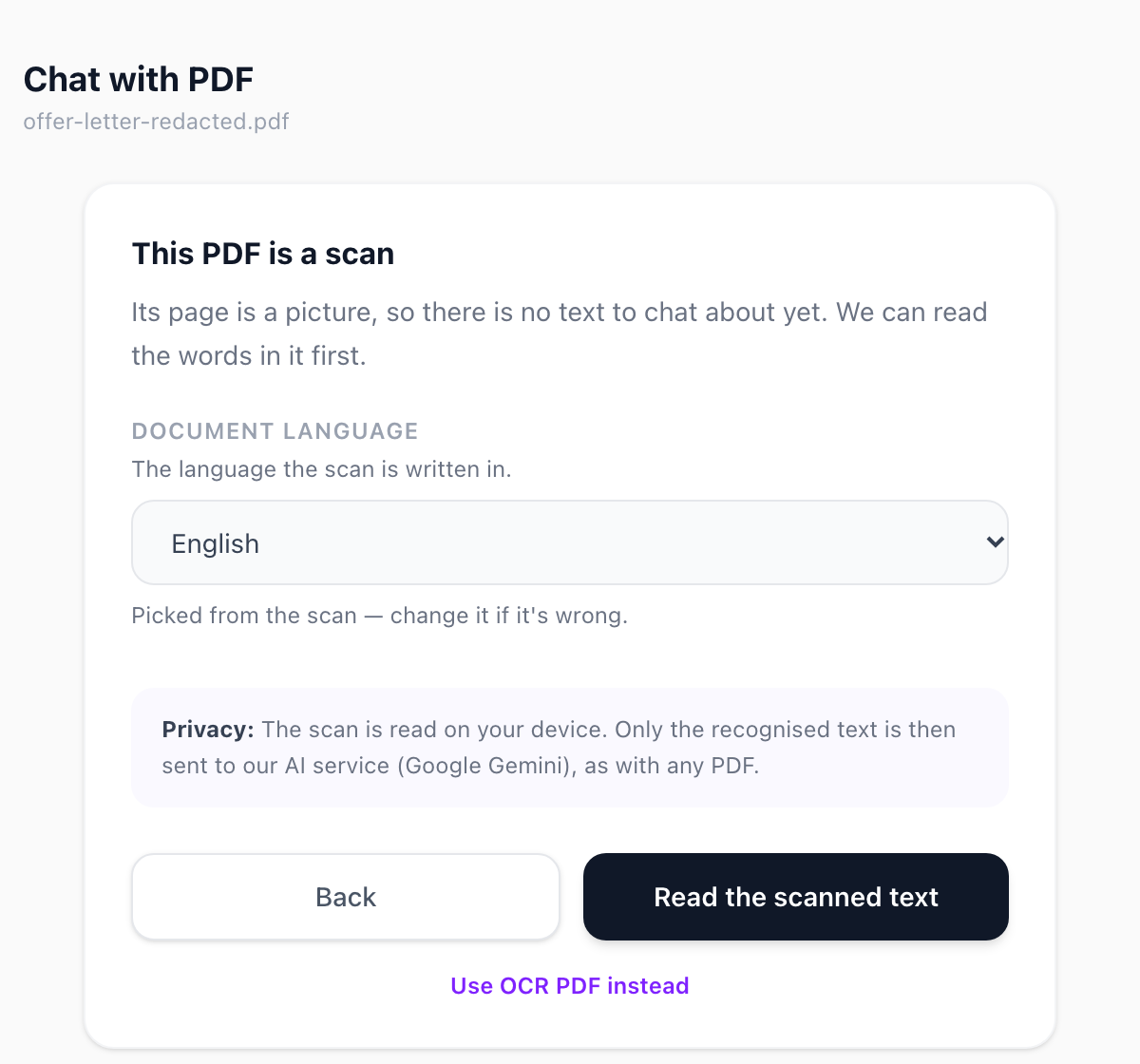
Be clear about what it sends:
- The PDF file stays in your browser. Its text goes, through our server, to Google Gemini.
- This happens as soon as the text is read, because Chat opens with a short summary. So redact first, then open the file.
- We use Gemini on Google's paid tier. Google's terms (checked 27 October 2026) say it doesn't use those prompts and responses to improve its products. It does keep them for a limited time to detect misuse.
- We don't store the text.
- It's free for 3 questions. After that, a $0.99 day pass covers 24 hours, with a fair-use allowance.
When not to upload at all
Redaction removes who a document is about, not what it says. If the content itself is secret (a deal that hasn't been announced, a client's strategy, a legal case), blacking out names doesn't make it safe to share. Check your employer's AI policy first. Many workplaces allow only approved tools, or none, for client and HR documents.
For everything else: take out what the assistant doesn't need, check the downloaded copy, then ask away. Redact PDF takes a couple of minutes and never sends your file anywhere.
Frequently Asked Questions
Does ChatGPT keep the PDFs I upload?
Does ChatGPT train on my uploaded files?
Can ChatGPT read a redacted PDF?
Is drawing a black box in a PDF editor enough?
Is OneClickPDF's Chat with PDF private?
Try these tools next
Redact PDF
Permanently black out names, account numbers, addresses, or any sensitive content before sharing. Redactions are baked into the file — not just overlaid.
Chat with PDF
Upload a PDF and ask it questions in plain English. Get instant, accurate answers from contracts, research papers, manuals, and reports — no reading required.
OCR PDF
Turn scanned PDFs and image files into searchable, editable text using Optical Character Recognition (OCR) for a live preview. Supports 16 languages.