Online PDF Tools Pricing Compared: Smallpdf, iLovePDF, Sejda, PDF24
What the free plans of Smallpdf, iLovePDF, Sejda, PDF24 and Adobe actually limit, what their paid plans cost in the UK and US, and where your file goes. Every figure is from the vendor's own page, checked on 26 October 2026.
Every big online PDF service has a free plan, and each one limits something different: downloads a day, tasks an hour, file size per tool, or how much you can use before you're asked to pay. This is an online PDF tools pricing comparison of five of them, Smallpdf, iLovePDF, Sejda, PDF24 and Adobe Acrobat, with OneClickPDF alongside.
Every figure below comes from the vendor's own pricing, help or tool page, read on 26 October 2026, in the currency the page showed: pounds for UK visitors, plus US dollars where Adobe's US page gave them. Where a vendor doesn't publish a number, we say so rather than borrow one from a review site.
The short answer
- Smallpdf: a daily download limit on most free tools, with no number published. Pro from £6.75 a month, billed yearly.
- iLovePDF: "limited document processing" plus per-tool file sizes (15 MB for Office and PDF to Word). Premium £59 a year or £9 a month.
- Sejda: 3 tasks an hour on the web, with page and size caps per tool. Paid from a £5 week pass.
- PDF24: free with no restriction, paid for by adverts. Files are uploaded to its EU servers.
- Adobe Acrobat online: free with "limited use", no number given. Acrobat Pro from US$19.99 or £19.97 a month on a yearly plan.
- OneClickPDF: no daily limit or size cap on the tools that run in your browser, and the file isn't uploaded. A few server tools cost $0.99 each time, with no subscription.
Smallpdf: a daily limit without a number
Smallpdf's pricing page lists "Daily download limit" against most free tools (Compress, Merge, Convert, OCR, Redact…) and describes Free as "Limited document downloads". Neither that page nor Smallpdf's own Free vs Pro article (August 2026) says how many. Edit Text, Strong Compression, batch work and OCR inside PDF to Word, Excel and PowerPoint are Pro features. AI tools on Free take documents up to 25–35k words and 50 MB.
- Pro (UK): £9 a month billed monthly, or £81 a year (£6.75 a month). 7-day free trial.
- Team (UK): £5.50 per seat a month, billed yearly.
- Your file: uploaded to Smallpdf, sent with TLS encryption, Smallpdf says.
More detail: Smallpdf compared with OneClickPDF.
iLovePDF: per-tool file sizes and adverts
iLovePDF's free Basic plan gives "Access to essential iLovePDF tools" with "Limited document processing", and the ad-free service is a Premium feature. Its pricing page lists free limits per task:
- Files per task: 25 for Merge, 2 for Compress, 1 for Split, OCR and PDF to Word.
- File size per task: 100 MB for most tools, 200 MB for Compress, 15 MB for Office to PDF, PDF to Word and OCR.
- Premium (UK): £9 a month billed monthly, or £59 a year. Students and academics can get a year of Premium free.
- Your file: kept on iLovePDF's servers for a maximum of 2 hours, its FAQ says, then removed.
More detail: iLovePDF compared.
Sejda: 3 tasks an hour
Sejda prints its limits under each upload box. Free web use is 3 tasks an hour and up to 30 files an hour, with no sign-up. Page and size caps depend on the tool:
- Compress: documents up to 200 pages or 100 MB.
- Merge: up to 50 pages or 50 MB.
- OCR: up to 10 pages per task.
- Paid (UK): Web Week Pass £5 for 7 days (one-time, doesn't renew), Web Monthly £7.50 a month, Desktop+Web Annual £63 a year. Paid plans lift the page and hourly limits, take files up to 500 MB and OCR up to 100 pages.
- Sejda Desktop: free with 3 tasks a day; files stay on your computer.
- Your file (web): deleted after 2 hours.
More detail: Sejda compared.
PDF24: free, paid for by adverts
PDF24's FAQ says its tools are available to everyone, companies included, "free of charge and without restriction", financed by adverts on its websites. It lists no file size or task limit. The online tools process files on servers in EU data centres and delete them within an hour. PDF24 Creator, the offline app, is Windows-only.
More detail: PDF24 compared.
Adobe Acrobat: "limited use" online, subscriptions for the rest
Adobe's online Compress PDF page says the tool is "available for free with limited use" and handles files up to 2 GB. It gives no number for the limit; unlimited use and batch processing need a paid plan. Files are handled on Adobe's servers and deleted unless you sign in to save them. Acrobat Reader is free for viewing.
- UK (incl. VAT): Acrobat Standard £14.99 a month on a yearly plan billed monthly. Acrobat Pro £19.97 a month on the same plan, £238.75 a year prepaid, or £29.96 month to month.
- US: Acrobat Standard US$14.99 and Acrobat Pro US$19.99 a month, on a yearly plan billed monthly.
- Cancelling: on the UK page, a yearly plan billed monthly costs half the remaining commitment if you cancel after 14 days. Month to month can be cancelled at any time.
More detail: Adobe Acrobat compared.
What OneClickPDF charges, and why most of it is free
Most OneClickPDF tools open your PDF in your browser, change it there and save the result to your device. Nothing is uploaded and nothing costs us per file, so these tools have no daily limit, no account and no file size cap beyond your device's memory. That covers Compress PDF, merge, split, sign, redact, OCR, edit and most of the rest.
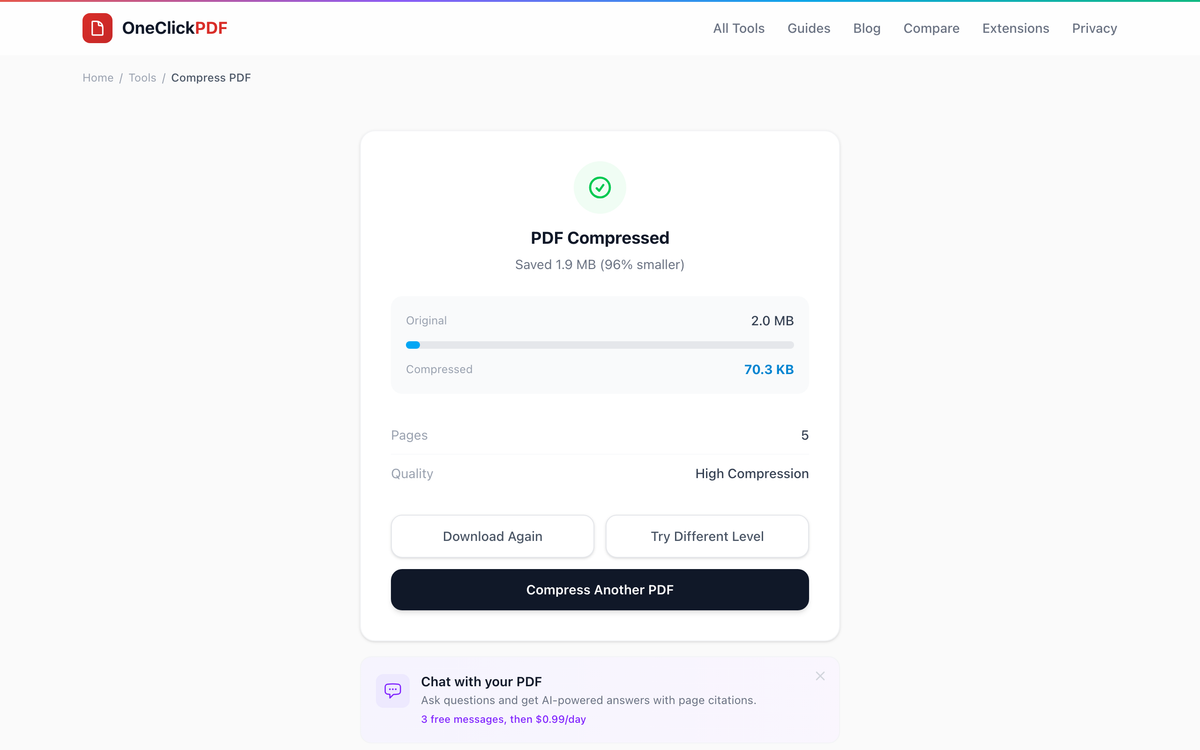
A few tools need a server, and say so on their page:
- PDF to Word: $0.99 a document, using Adobe's conversion engine. Files up to 4 MB.
- Word, Excel and PowerPoint to PDF: free on our own converter, which deletes the file after converting; an optional premium conversion costs $0.99. Files up to 4 MB.
- Translate PDF: the first page is free, then $0.99 a document (up to about 50 pages). Only the extracted text is sent to Google Gemini.
- Chat with PDF, Summarizer, Question Generator: a $0.99 day pass for 24 hours, with a fair-use allowance. Chat gives 3 free questions first.
There is no subscription; prices are in US dollars, and each payment covers one document or one day.
Which one fits what you're doing
- Shrink a PDF for email now, without uploading it: OneClickPDF Compress has its strongest level free.
- Work offline on Windows: PDF24 Creator is free.
- Free PDF to Word, and the upload doesn't bother you: iLovePDF (15 MB free), Sejda (50 pages free) and PDF24 include it. Ours costs $0.99 a document.
- Send documents for other people to sign: Smallpdf Pro includes Sign.com Premium; iLovePDF Premium adds digital signatures. OneClickPDF signs your own copy only.
- One busy week of PDF work: Sejda's £5 Week Pass doesn't renew.
- Heavy editing every day: a full desktop editor such as Acrobat Pro is the stronger tool.
How to check a free limit yourself
Limits change, so look before a deadline. Sejda prints its limits under the upload box, iLovePDF's pricing page has a per-tool table, and Smallpdf's shows which tools carry a daily download limit. Prices vary by country and tax. And check where the file is processed and when it's deleted: on a free plan, the upload is often the real cost.
Frequently Asked Questions
What is Smallpdf's free plan daily limit?
Which online PDF tool has no free limits?
How much does a PDF subscription cost?
Is OneClickPDF free?
Why do other articles give different prices?
Try these tools next
Compress PDF
Shrink large PDFs for email, web upload, or cloud storage. Our compression preserves image clarity and text sharpness — you choose the quality level.
PDF to Word
Convert any PDF into a fully editable Word document (.docx) using Adobe's commercial conversion engine. $0.99 per document — no subscription, no account, no rate limits.
Translate PDF
Translate a PDF into 40+ languages with Google Gemini. First page free, then $0.99. Your file stays in your browser; only its text is sent.
Chat with PDF
Upload a PDF and ask it questions in plain English. Get instant, accurate answers from contracts, research papers, manuals, and reports — no reading required.