How to Translate a Scanned PDF: Run OCR First, Then Translate
If a PDF translator says it found no text, your PDF is a scan: a picture of a page. Here is the two-step fix: free OCR in your browser to make the words readable, then translation into 40+ languages, with the first page free.
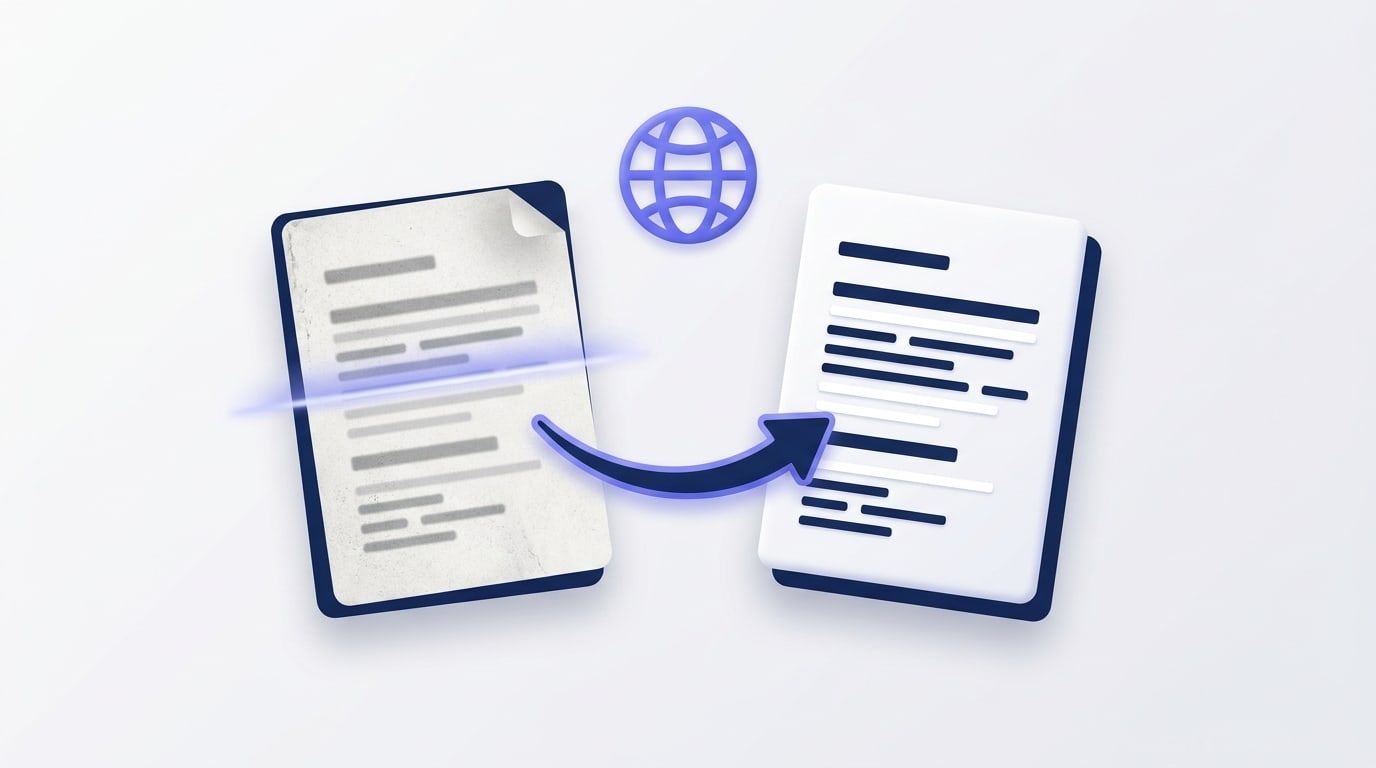
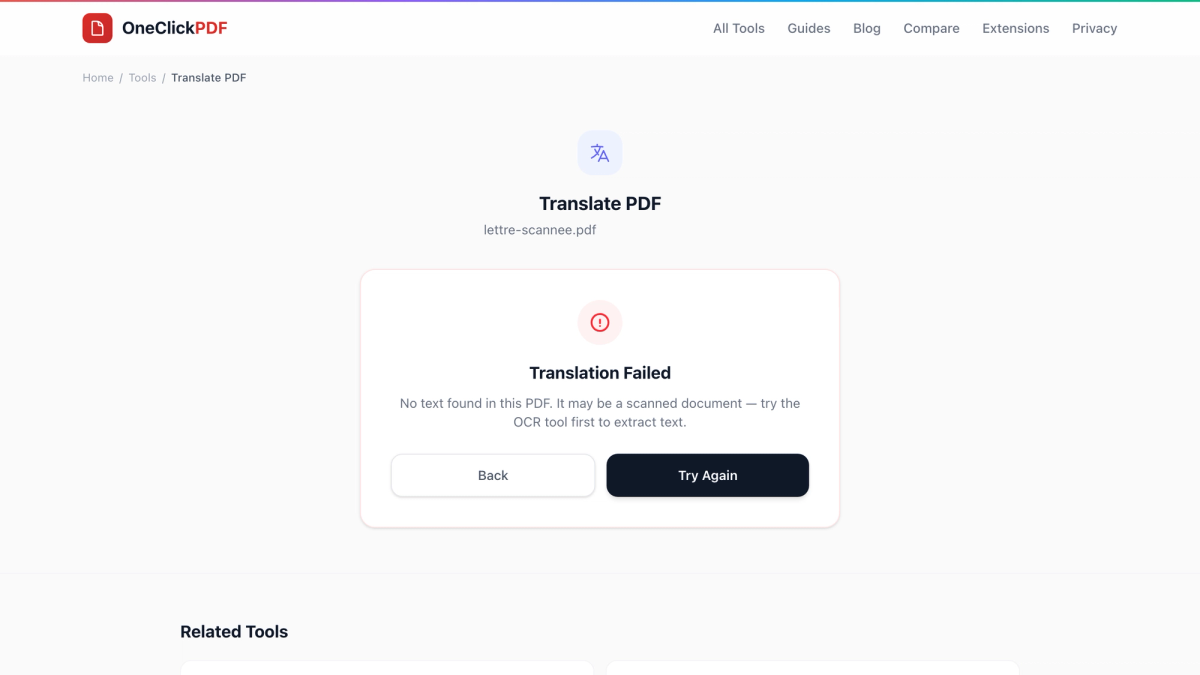
You open a PDF in a translator, press the button, and get an error: no text found. The document looks full of words, so what went wrong?
The PDF is a scan. When a letter, certificate or contract goes through a scanner or gets photographed with a phone, each page is saved as a picture. You can read it, but to a computer it is just coloured dots, and a translator needs actual letters to work with.
The fix takes two steps and a few minutes: run OCR (optical character recognition) to turn the picture of the words into real text, then translate the PDF. Here is how to do both on OneClickPDF.
Is your PDF a scan? A 10-second test
Open the PDF and try one of these:
- Click and drag over a sentence. If nothing highlights, or the whole page highlights as one block, it is a scan.
- Press Ctrl+F (Cmd+F on a Mac) and search for a word you can see. If it isn't found, the page has no text layer.
On OneClickPDF you get the same answer straight away: Translate PDF reads the file in your browser and tells you when there is no text in it.
Step 1: Add a text layer with OCR (free, in your browser)
OCR PDF recognises the printed words on each page. It runs in your browser with a recognition engine loaded from our own site, so the scan never leaves your device. There is no account and no charge.
- Open OCR PDF and drop in your scanned PDF. Image files (JPG, PNG) work too.
- Choose the language the document is written in. This is the language of the scan, not the one you want to translate into. If you aren't sure, press Detect for a suggestion.
- Press Start OCR. The recognised text appears next to the page, with a confidence score for each page.
- Read through the text and fix anything the OCR got wrong, especially names, dates, amounts and reference numbers. Whatever you correct here is what gets translated.
- Open the arrow beside Download and choose Searchable PDF (overlay). This keeps your original page images and adds the recognised words as an invisible text layer.
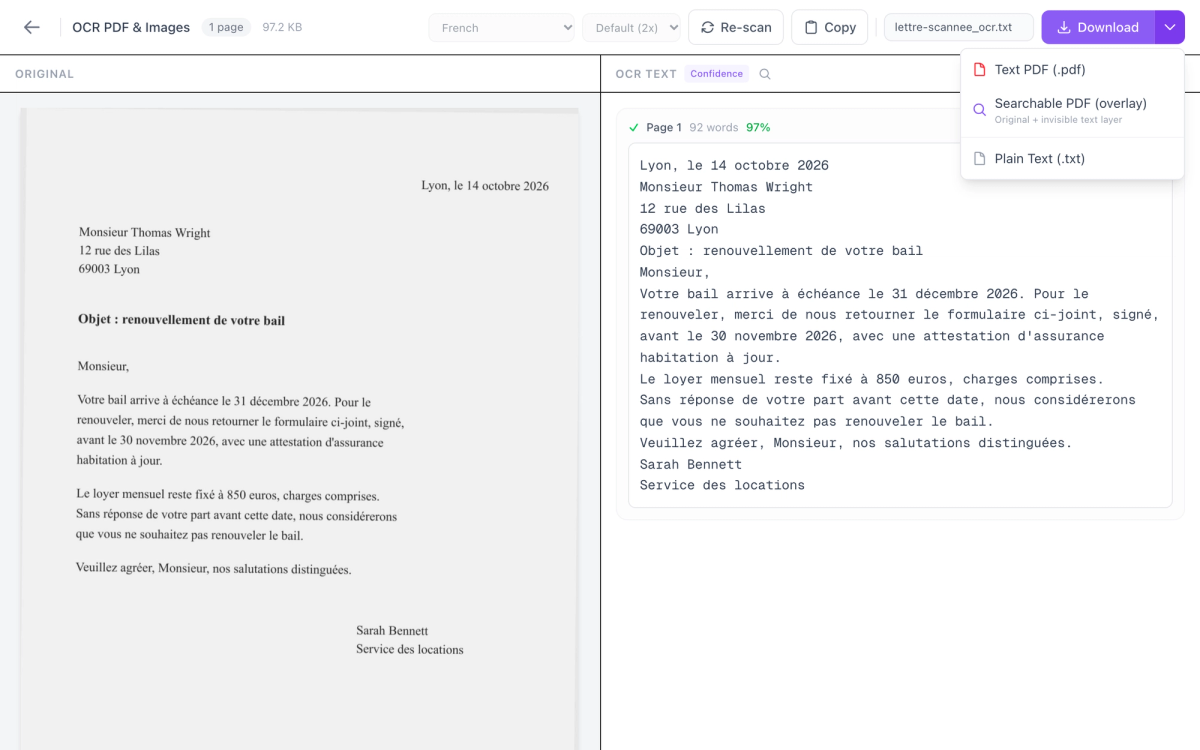
Why the searchable PDF and not the other options? It is still your document, page for page, so you keep a copy of the scan that you can now search and copy from. Its hidden text layer also works in any script the OCR reads, including Arabic, Hindi, Chinese, Japanese and Korean.
OCR PDF reads 16 languages: English, French, German, Spanish, Italian, Portuguese, Dutch, Polish, Russian, Japanese, Chinese (Simplified), Chinese (Traditional), Korean, Arabic, Hindi and Turkish.
Step 2: Translate the searchable PDF
Now the PDF has text that a translator can read.
- Open Translate PDF and drop in the searchable PDF you just downloaded.
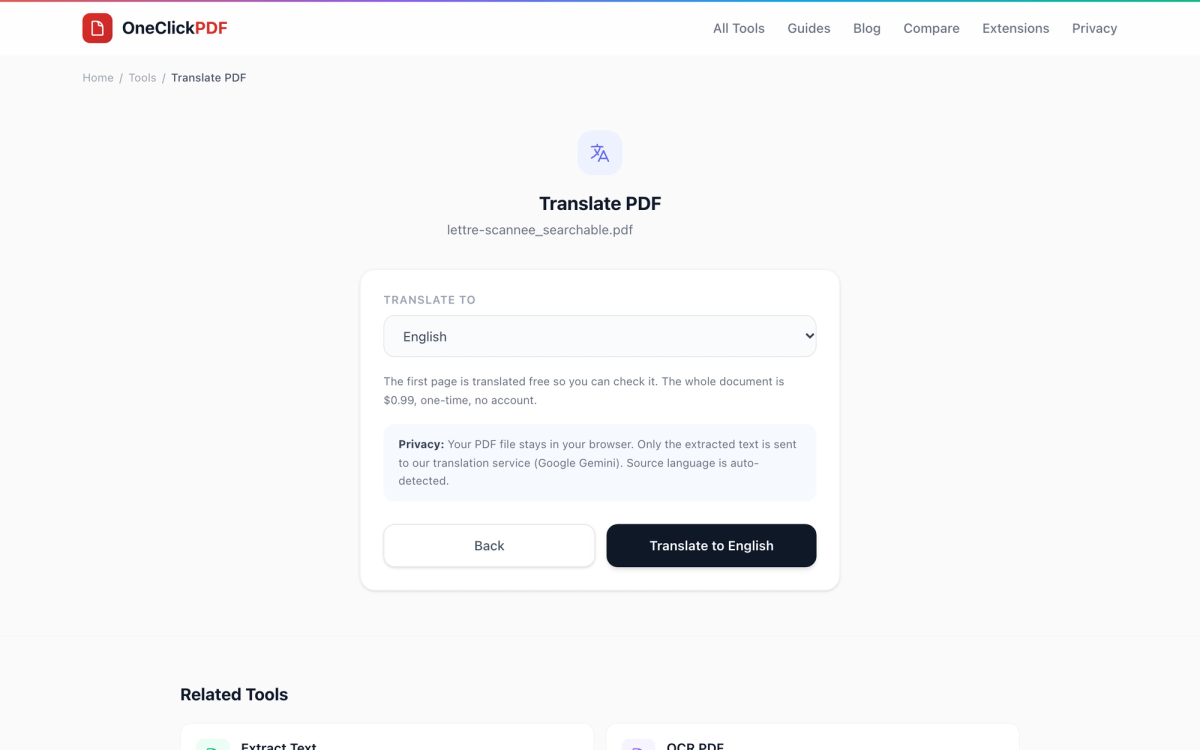
- Choose the language you want from the Translate to list. There are 40, from Arabic, English and French to Turkish, Ukrainian and Indonesian. You don't need to tell it the source language; that is detected for you.
- Press Translate to and your language (for example Translate to English). The first page that has text is translated free (up to 5,000 characters of it) and shown on screen, so you can check the quality before paying anything. You can do up to 3 free pages a day, with no account.
- Happy with it? Download that page, or press the $0.99 button to translate the whole document. One card payment (through Stripe, no account) covers up to 150,000 characters, which is about 50 pages. A translation that fails doesn't use up your payment, so you can simply try again.
What you get, and what you don't
The download is a PDF with the translated text set out as plain text on pages the same size as the original. It is made for reading and understanding the document.
It does not rebuild the scan's layout. Letterheads, columns, tables, stamps, signatures and photos are not carried across. Keep the searchable PDF from step 1 open beside the translation if you need to see where each part sits on the original page.
The translation is done by an AI model (Google Gemini). It is told to keep numbers, dates, codes and names exactly as written, but it can still make mistakes, and so can OCR. Check the parts that matter. For official uses such as visa applications, courts or university admissions, you will usually need a certified human translation; a quick translation like this helps you understand the document first.
Where your document goes
- OCR step: nowhere. The recognition runs in your browser and the file is never uploaded.
- Translate step: the PDF file stays in your browser. Only the text it reads from the file is sent, through our server, to Google Gemini to be translated. We don't store it. We use Google's paid API, which Google says isn't used to improve its products; Google keeps logs for a limited time to check for abuse.
If a document is too sensitive for its text to leave your device at all, stop after step 1: the searchable PDF and the plain-text download stay with you.
What this can't do
- Handwriting. OCR is built for printed text. Handwritten notes usually come out garbled.
- Scans in a language OCR doesn't read. Ukrainian, Persian and Indonesian, for example, can be chosen as a translation language but aren't among the 16 OCR languages, so a scan written in one of them may not be recognised well. Check the recognised text before you translate.
- Very poor scans. Blurred, faint or skewed pages lower OCR accuracy, and every OCR mistake is passed on to the translation.
- Keeping the original design. As above, the translated file is plain text, not a copy of the scan's layout.
Quick recap
- Scanned PDF → OCR PDF: pick the document's language, Start OCR, fix mistakes, download Searchable PDF (overlay).
- Searchable PDF → Translate PDF: pick a language, check the free first page, then $0.99 for the rest if you need it.
The first step is free and private, and the second lets you see the result before you pay.
Frequently Asked Questions
Why does the PDF translator say no text was found?
Is the OCR step free?
How much does it cost to translate a scanned PDF?
Can I translate a scanned Arabic, French or Turkish PDF into English?
Is my scanned document uploaded anywhere?
Will the translated PDF look like the original scan?
Try these tools next
Translate PDF
Translate a PDF into 40+ languages with Google Gemini. First page free, then $0.99. Your file stays in your browser; only its text is sent.
OCR PDF
Turn scanned PDFs and image files into searchable, editable text using Optical Character Recognition (OCR) for a live preview. Supports 16 languages.
Deskew PDF
Automatically straighten tilted or skewed scanned pages.