Edit PDF Online Free, No Sign-Up: Change the Real Text
Most free online PDF editors paste a white box over your words and upload your file. Our rebuilt Edit PDF changes the PDF's own text, in its original font, right in your browser — no sign-up, no watermark, no upload.
If you've ever tried to fix one typo in a PDF with a free online editor, you know the routine. You sign up, upload the file, discover that "edit text" really means "draw a white box and type on top of it", and download a copy with a watermark in the corner.
We've rebuilt Edit PDF to get rid of all of that. You click a line in your PDF and type. The change goes into the document's own text — same font, same spacing — and it all happens inside your browser. There's no account, no upload and no watermark.
Here's what's new, how to use it, and where its limits are.
Most "free PDF editors" don't actually edit your text
A PDF isn't a word-processor file. Every line sits at fixed coordinates on the page, often in a font that's embedded with only the letters the document already uses. So many online editors take a shortcut: they hide the old words under a white rectangle and lay new text over the top.
At a glance it looks fine. Look closer and:
- the old words are still in the file — anyone can copy them, and search still finds them;
- your new text is in a different font, floating on top of the page;
- nothing moves when your new text is longer, so it runs into the line below.
Our new Edit PDF tool changes the text itself.
What the new Edit PDF can do
Change existing text in place
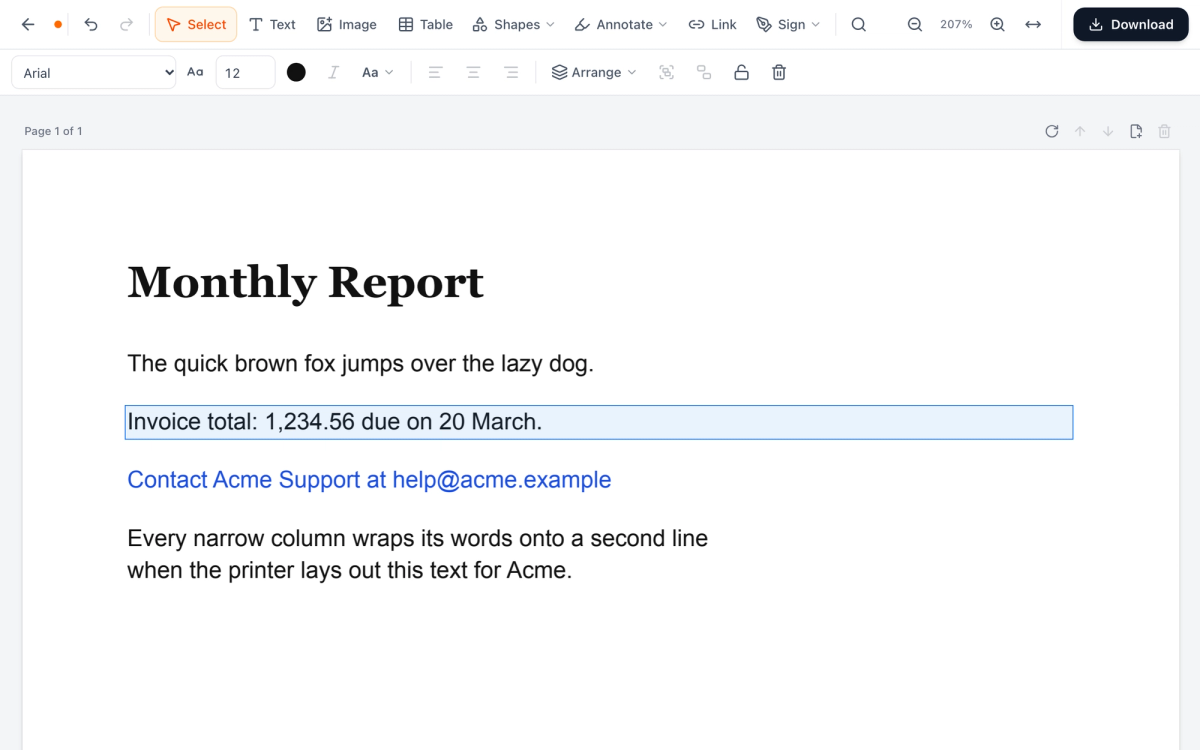
Click any line and type. Your words go into the PDF's own text, in its original font wherever that font has the letters you type — otherwise a close match is used for just those letters. Paragraphs re-wrap as you type, and when a paragraph grows, the lines below move down to make room.
Find and replace
Search the whole document, then replace one match or all of them. It's the quickest way to fix a misspelled name or a changed date that appears all through a contract.
Format, add and arrange
Change the font, size, colour, italics, letter case and alignment of any text. Add new text boxes, images (PNG or JPG) and tables. Bring things forward or send them back, group them or lock them in place.
Shapes, whiteout and markup
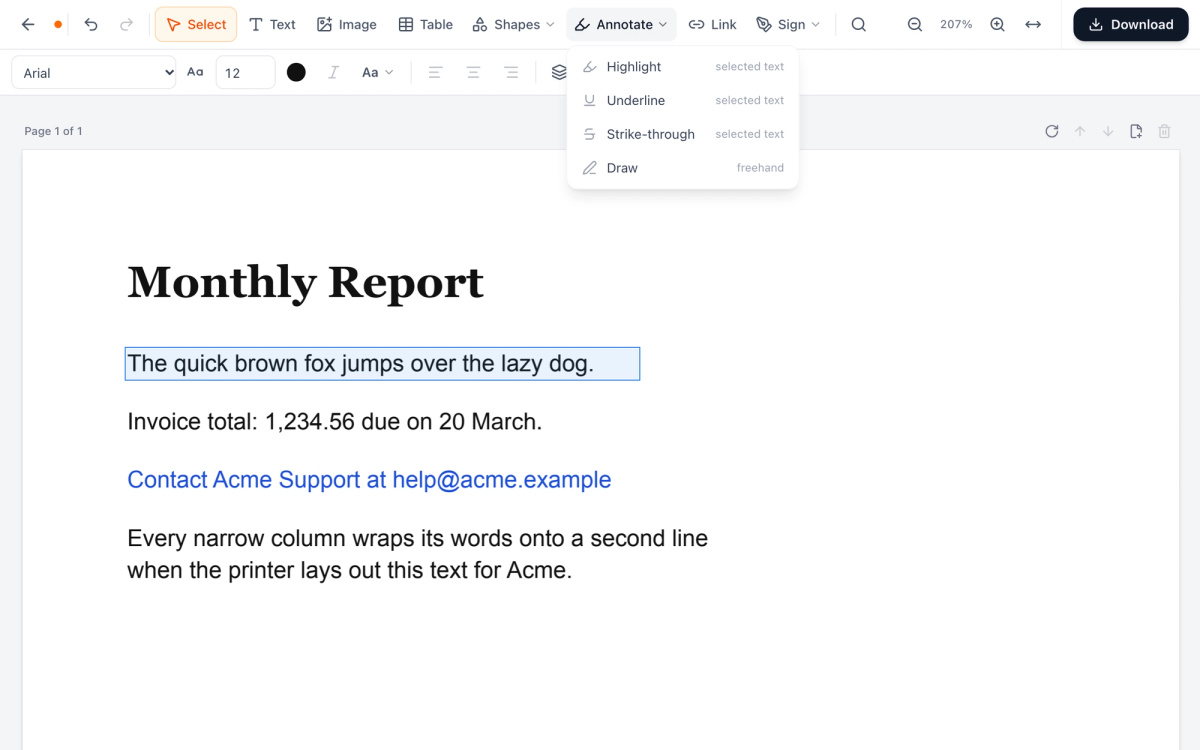
Draw rectangles, ellipses, lines and arrows. Highlight, underline or strike through selected words, or draw freehand. These marks are drawn into the page itself, so every PDF reader shows them. Whiteout covers content with white — it doesn't erase what's underneath (more on that below).
Links, signatures and pages
Link words or an area of the page to a website, an email address or another page of the PDF, and change or remove the links a file already has. Sign with a drawn, typed, uploaded or photographed signature; any signatures you've saved in our Sign PDF tool are there too. And you can rotate, reorder, add or delete pages without leaving the editor.
Changed your mind? Undo goes back up to 200 steps.
How to edit a PDF online free, with no sign-up
- Open Edit PDF and drop your file on the page, or click to choose it. If the PDF is password-protected, you'll be asked for the password.
- Click the line you want to change and type. To change the same word everywhere, open Find and replace (Ctrl+F, or ⌘F on a Mac).
- Use the toolbar to add text, images, tables, shapes, links or your signature. Select anything to change its font, size or colour.
- Use the buttons above each page to rotate, move, add or delete pages.
- Click Download. You get your edited PDF, with no watermark and no account.
Your PDF never leaves your browser
This is the part we care about most. The editing engine, PDFium — the same open-source PDF library Google Chrome uses to show PDFs — runs right in your browser as WebAssembly. Your file is opened, edited and saved on your own device. It isn't uploaded to us or to anyone else.
You don't have to take our word for it. Open your browser's developer tools, switch to the Network tab and edit a file: you'll see the engine load from oneclickpdf.net, and you won't see your PDF go anywhere.
That matters for the documents people most often need to fix — contracts, invoices, payslips, forms full of personal details. Many popular online editors send your file to their servers to edit it, and their free plans come with limits: Sejda's free online editor allows three tasks an hour, for example, and Smallpdf keeps editing existing text for its paid plan. Ours is free with no daily cap.
What it can't do (yet)
We'd rather tell you up front:
- Scanned PDFs. A scanned page is a picture of text, so there are no letters to change. You can cover a line with Whiteout and type over it.
- Some scripts. Chinese, Japanese and Korean text, and right-to-left scripts such as Arabic and Hebrew, can't be edited yet.
- Missing letters. If a letter you type isn't in the PDF's embedded font, that letter uses a close fallback font.
- Whiteout isn't redaction. Whiteout hides content but doesn't remove it from the file. To delete sensitive information for good, use Redact PDF.
- Digitally signed PDFs. Any change means the signature no longer covers the new version — that's exactly what digital signatures are designed to show.
Need a stamp, a date field or check marks? Sign PDF has them.
Try it on a PDF you've been meaning to fix
Pick that PDF with the typo, the old address or the wrong date, and edit it online for free — no sign-up, nothing uploaded. If something doesn't work the way you expect, tell us. We read every message.
Frequently Asked Questions
Is Edit PDF really free with no sign-up?
Is my PDF uploaded to your servers?
Can I edit the existing text, or only add new text?
Will my edits match the original font?
Can I edit a scanned PDF?
Does it work on a phone?
Try these tools next
Edit PDF
Click any text in a PDF and change it, in its original font where possible. Add text, images, shapes, links, and signatures — no upload, no software to install.
Sign PDF Online Free
Draw your signature, type it, or upload an image — then place it anywhere on your PDF in seconds. Legally valid under the ESIGN Act (US), eIDAS (EU), and Electronic Communications Act (UK). No account is needed.
Redact PDF
Permanently black out names, account numbers, addresses, or any sensitive content before sharing. Redactions are baked into the file — not just overlaid.